Overlapping software
See which tools share capabilities so you can review whether you need both.
Less waste. More value.
Your business may be paying for tools nobody uses, licenses you don't need, or multiple products that do the same job. Tool Shakedown shows you what to review first.
See which software subscriptions may overlap, where licenses appear underused, and which findings deserve a closer look.
See which tools share capabilities so you can review whether you need both.
Find software licenses with low usage worth reviewing before their renewal dates.
See possible overlap and low-usage findings, with supporting evidence and suggested next steps.
Connect Microsoft 365, Google Workspace, or Jira, or start with a spreadsheet. Build one inventory for reviewing spend and usage.
No connection needed: CSV importManual entry
Integration data varies by system and connection configuration. Tool Shakedown also works with manually entered and imported tools.
Add your software tools, compare known costs and available usage, and check shared features before renewals.
Connect a supported system, import a CSV, or enter your tools yourself—including custom tools that aren't in the catalog.
Analyze available license usage and tool features to flag underused subscriptions and possible overlap.
See which tools are involved, what data supports each flag, and what to verify before changing a subscription.
See your known software costs, compare tools, check usage, and choose what to investigate next.
Put known annual costs and the tools behind them in one company inventory instead of chasing separate spreadsheets.
Identify low-utilization signals worth checking before spending another year on a subscription.
See where products share capabilities. Compare what they do before deciding whether consolidation makes sense.
Turn raw findings into prioritized review items with evidence, confidence and suggested questions to investigate.
Compare plans for tracking subscriptions, checking available usage, and spotting feature overlap.
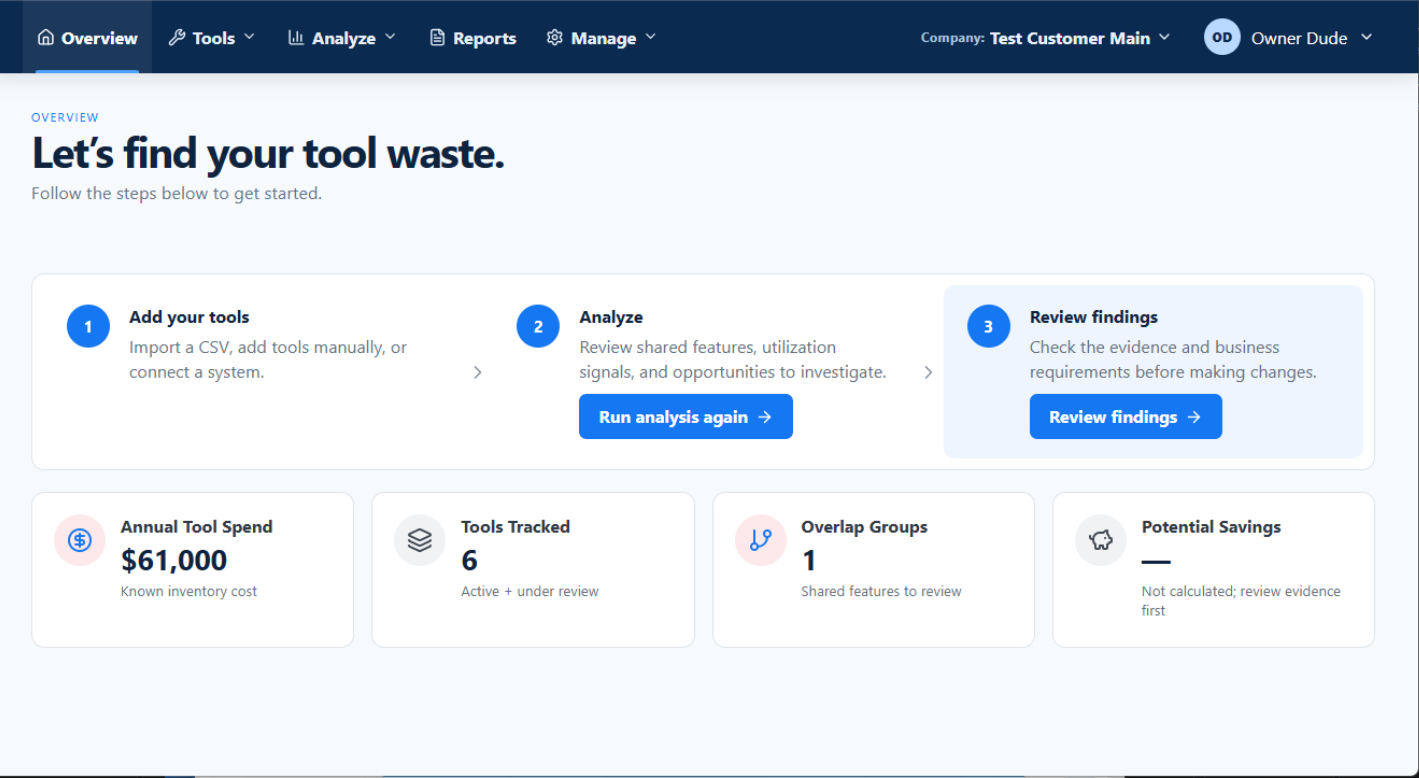
Start with what the business owns and what it costs. The Overview screen brings known annual spend, tracked tools, and the analysis workflow together.
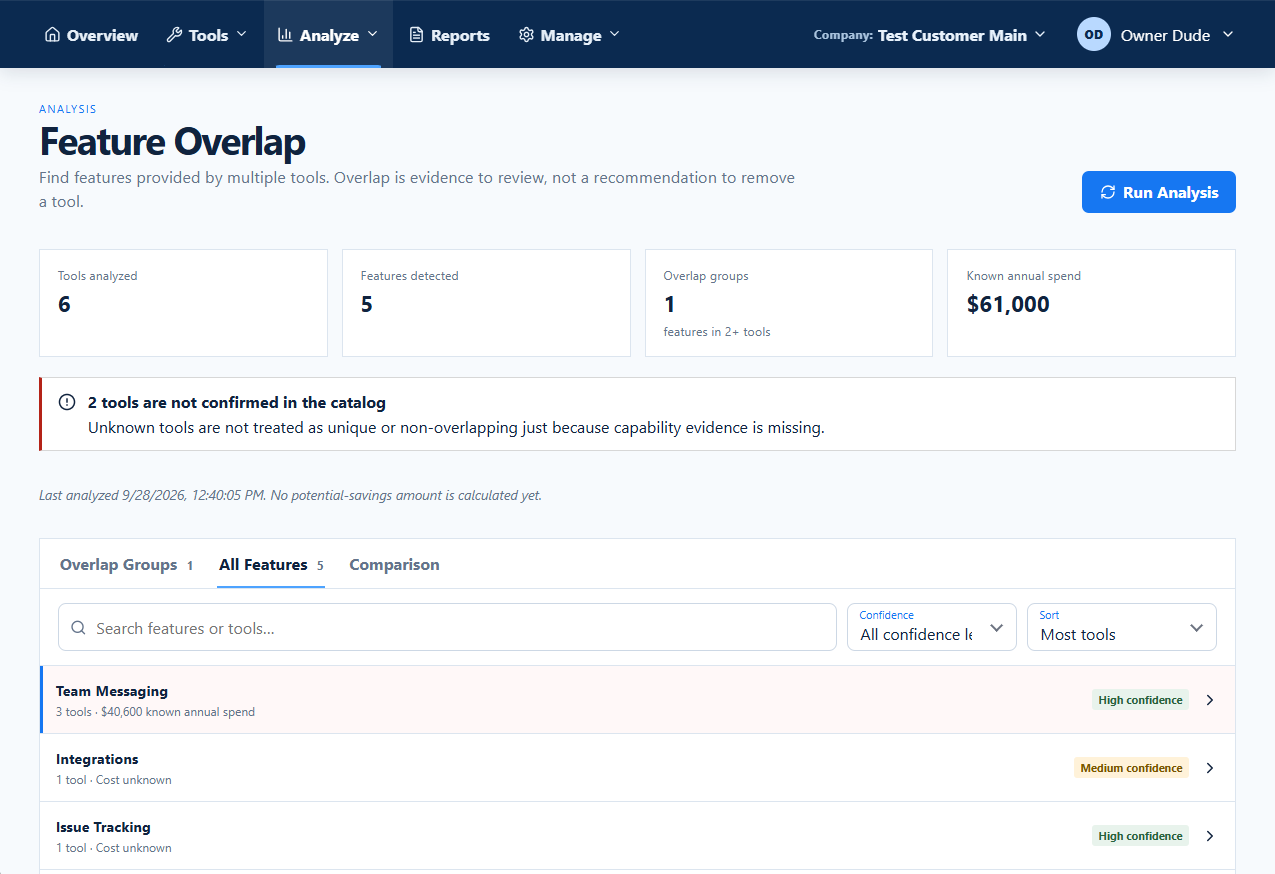
The Feature Overlap view groups shared capabilities, shows which tools are involved, and includes confidence indicators. That makes it easier to ask whether you actually need both.
Shared features do not prove that tools are interchangeable.
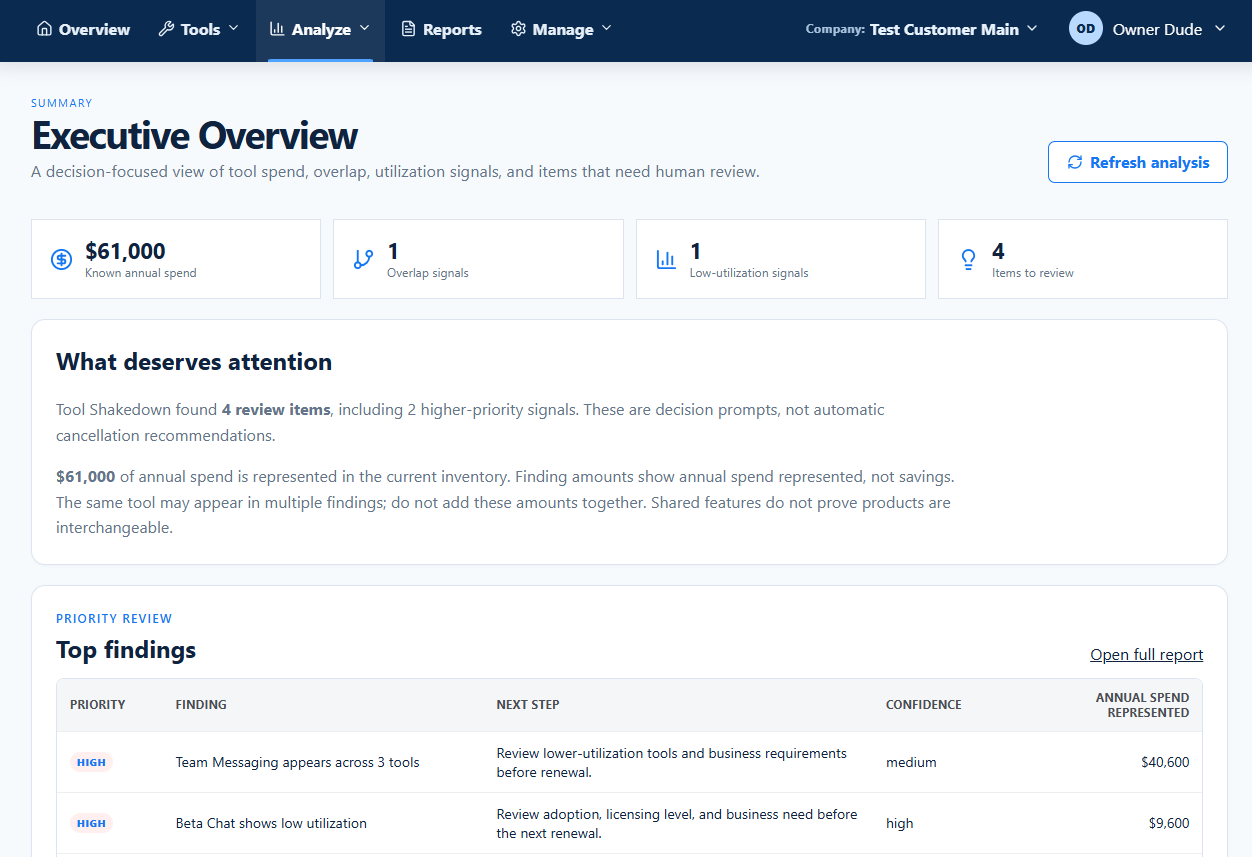
Executive Overview collects review items in one place: possible overlap, low utilization and the tools behind each signal. It also tells you when data is missing or uncertain.
Reported spend is not the same as savings. Savings require verification and a decision by your team.
Import a CSV, enter tools manually, or connect a supported system to start reviewing known software spend and possible overlap.
That's an industry benchmark—not a result measured by Tool Shakedown or a prediction for your business. Read the source ↗
In < 1 min, see how Tool Shakedown brings software costs together, flags potential overlap or underuse, and helps you prepare for subscription renewals.
Browse guides and the FAQLearn what Tool Shakedown can show about software costs, license usage, and overlapping tools—and what your team still needs to verify.
No. Tool Shakedown helps you find software licenses with low reported usage and tools that share features. It shows known subscription costs, purchased seats, and available usage data so your team can decide whether to keep, reduce, or cancel a subscription. It does not make changes to your subscriptions for you.
No. You can create a software inventory by adding tools manually or importing a CSV file. Microsoft 365, Google Workspace, and Jira are connection options; available data depends on each integration and its permissions.
No. An underused license or overlapping feature does not guarantee savings. Check available usage data, contracts, renewal dates, security needs, and your team’s workflows before changing subscriptions.
No. You can track subscriptions used by HR, finance, sales, marketing, operations, and technology teams. Tool Shakedown helps review known costs and overlapping capabilities; feature and usage data varies by tool.
Build your inventory, review potential overlap and underuse, and decide which subscriptions need a closer look.